Key Features
-
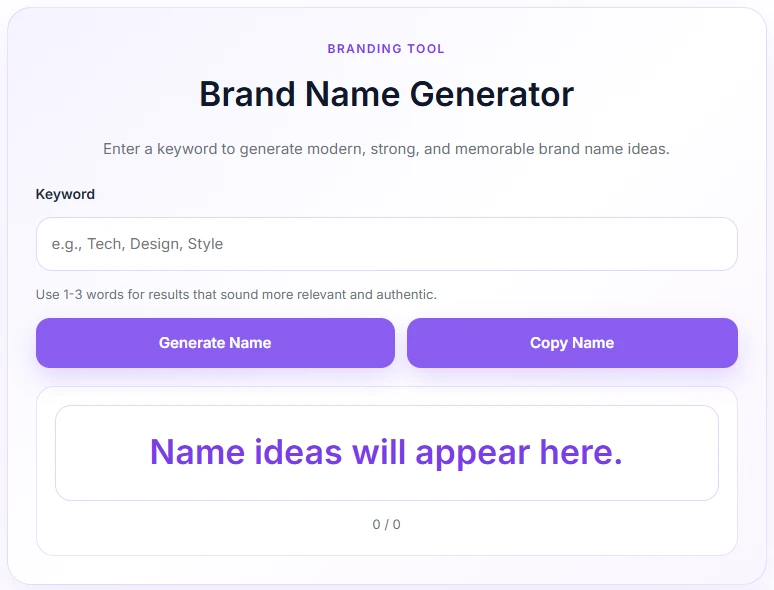
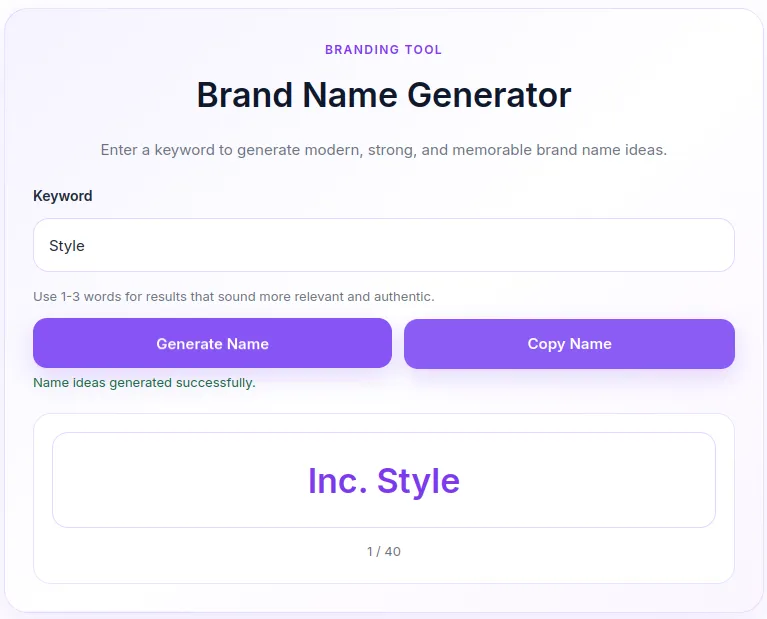
Instant Generator: Quickly creates unique brand names based on user input.
-
Smart Combination Algorithm: Combines core keywords with high-converting suffixes and prefixes.
-
Clean Single-Card UI: Modern layout designed with a soft purple theme and fully responsive layout.
-
One-Click Copy & Navigation: Integrated shortcode dynamic status messages with quick action buttons.
Ideal For
-
Niche Site Owners: Marketers launching multiple niche blogs or affiliate sites needing quick branding.
-
Agencies & Freelancers: Web designers and developers offering branding packages to clients.
-
Domain Flippers: Traders brainstorming available domain combinations rapidly.
Key Benefits
-
Boosts User Engagement: Keeps visitors on your site longer with an interactive tool.
-
Zero External API Costs: Generates logic locally via native PHP/JS without third-party subscription fees.
-
Lightweight Performance: Inlines CSS/JS dynamically only when the shortcode is present to keep load times fast.
Installation Guide
You can set up this snippet in a few simple steps:
Method 1: Using the Code Snippets Plugin (Recommended)
-
Install and activate the free Code Snippets plugin from the WordPress repository.
-
Go to Snippets → Add New in your WordPress dashboard.
-
Paste the provided PHP code into the code editor.
-
Set the code type to PHP Snippet.
-
Click Save Changes and Activate.
Method 2: Via Theme functions.php
-
Go to Appearance → Theme File Editor (or access your server via FTP/cPanel).
-
Open your active child theme’s
functions.phpfile. -
Paste the PHP code at the end of the file.
-
Save the file.
How to Display the Tool on Your Site:
Add the following shortcode to any Page, Post, or Custom Post Type:
[brand_name_generator]Compatibility
-
WordPress Version: 5.0 or higher.
-
PHP Version: 7.4 or higher (fully compatible with PHP 8.x).
-
Page Builders: Compatible with Elementor, Gutenberg, Divi, Beaver Builder, and Classic Editor.
What You Will Get
-
1 Snippet Code File: PHP script containing shortcode markup, AJAX handlers, inline CSS, and JS logic.
-
Pre-Styled Soft Purple Theme: Ready-to-use modern styling out of the box.
FAQ (Frequently Asked Questions)
-
Q: How do I change the soft purple color to match my theme?
-
A: Locate the CSS section inside
bng_enqueue_assets()and update--bng-purple: #8b5cf6;and--bng-purple-dark: #7c3aed;to your preferred color hex codes.
-
-
Q: Can I add or remove word suffixes?
-
A: Yes. You can edit the
$suffixesarray in thebng_generate_brand_names()function to include your own custom words
-
Disclaimers & Notes
- Always use a child theme if you are pasting code directly into
functions.phpto prevent changes from being overwritten during theme updates.
Preview



Reviews
There are no reviews yet.