
Key Features
-
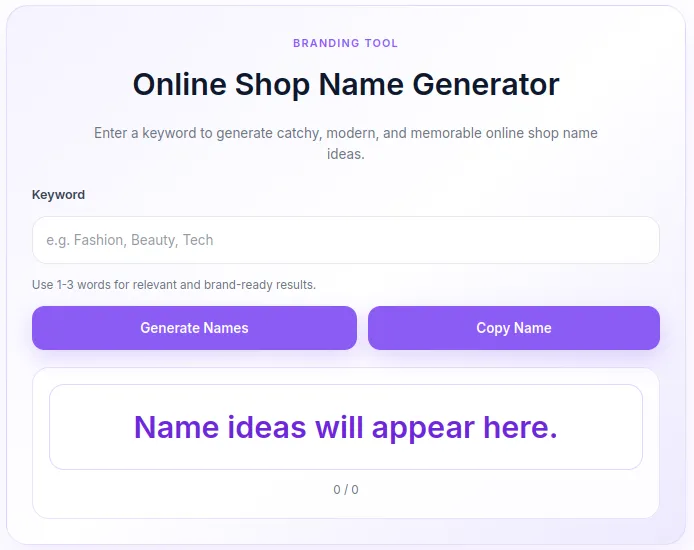
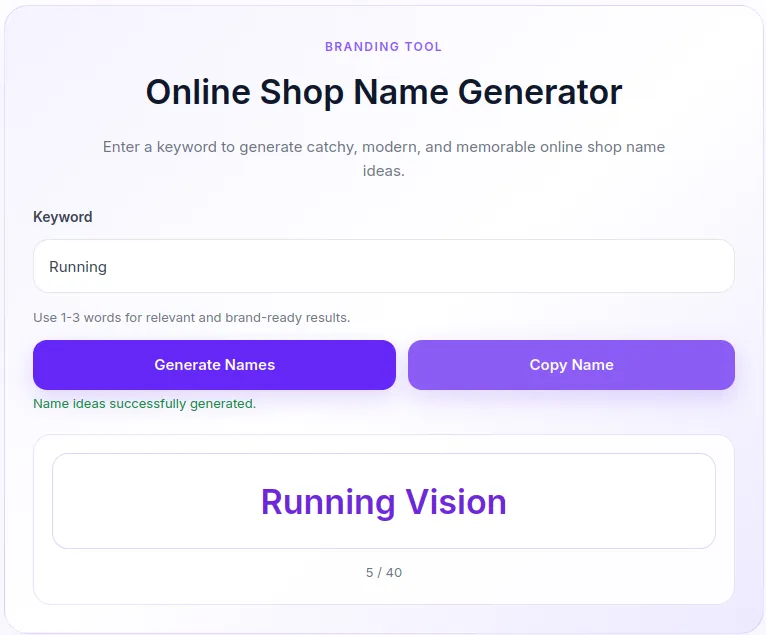
Instant Name Generation: Creates up to 40 unique, randomized name combinations in a single click using a curated list of modern retail and branding suffixes.
-
AJAX-Powered Interaction: Smooth, fast performance without refreshing the page.
-
One-Click Copy: Built-in clipboard functionality allowing users to quickly copy their favorite generated name.
-
Soft Purple UI Design: Clean, aesthetic, and responsive layout styled with modern soft purple (lavender) gradients that fit seamlessly into any theme.
-
Built-In Security: Uses WordPress nonces and input sanitization to ensure high standards of security and prevent spam or malicious requests.
Ideal For
-
Boosts User Engagement: Keeps visitors on your site longer by offering an interactive utility.
-
No External API Required: Runs entirely on your WordPress server with zero third-party API dependencies or subscription costs.
-
Mobile-Optimized: Designed with a fully responsive layout that works flawlessly on desktop, tablet, and mobile screens.
-
Lightweight & Fast: Inline CSS and JavaScript execution ensure minimal impact on page loading speeds.
Key Benefits
-
Boosts User Engagement: Keeps visitors on your site longer by offering an interactive utility.
-
No External API Required: Runs entirely on your WordPress server with zero third-party API dependencies or subscription costs.
-
Mobile-Optimized: Designed with a fully responsive layout that works flawlessly on desktop, tablet, and mobile screens.
-
Lightweight & Fast: Inline CSS and JavaScript execution ensure minimal impact on page loading speeds.
Installation Guide
You can set up this snippet in a few simple steps:
Method 1: Using the Code Snippets Plugin (Recommended)
-
Install and activate the free Code Snippets plugin from the WordPress repository.
-
Go to Snippets → Add New in your WordPress dashboard.
-
Paste the provided PHP code into the code editor.
-
Set the code type to PHP Snippet.
-
Click Save Changes and Activate.
Method 2: Via Theme functions.php
-
Go to Appearance → Theme File Editor (or access your server via FTP/cPanel).
-
Open your active child theme’s
functions.phpfile. -
Paste the PHP code at the end of the file.
-
Save the file.
How to Display the Tool on Your Site:
Add the following shortcode to any Page, Post, or Custom Post Type:
[online_shop_name_generator]Compatibility
-
WordPress Version: Fully compatible with WordPress 5.0 and higher.
-
PHP Version: Requires PHP 7.4 or higher (fully compatible with PHP 8.x).
-
Page Builders: Works seamlessly with Elementor, Divi, Gutenberg, Beaver Builder, and standard theme templates via shortcode.
What You Will Get
-
100% Ready-to-Use PHP Code: Includes backend logic, inline CSS styles, and frontend AJAX/JavaScript.
-
Responsive Styling: Pre-configured soft purple UI design with custom hover and focus states.
-
Translation-Ready Strings: All user-facing messages organized in clean English strings for easy localization.
FAQ (Frequently Asked Questions)
-
Q: Can I customize the generated suffixes?
-
A: Yes. You can edit the
$suffixesarray in theosn_generate_olshop_names()function to add or remove words according to your niche.
-
-
Q: How many names can be generated at once?
-
A: By default, the plugin generates 40 unique name combinations per request. You can adjust the limit in the
array_slice()parameter in the PHP code.
-
-
Q:Can I use this shortcode multiple times on the same page?
-
A: Yes, the JavaScript is written to target root dataset attributes, allowing multiple generator instances to operate independently on a single page.
-
Disclaimers & Notes
-
Make sure your site uses HTTPS to ensure full support for the modern
navigator.clipboardJavaScript API when copying text. -
It is strongly recommended to use a child theme or the Code Snippets plugin to avoid losing your custom code during theme updates.
Preview




Reviews
There are no reviews yet.