
Key Features
-
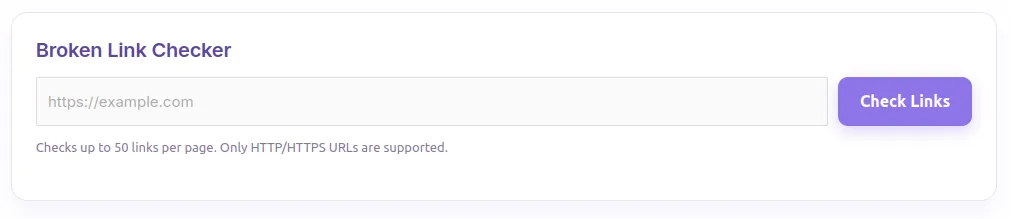
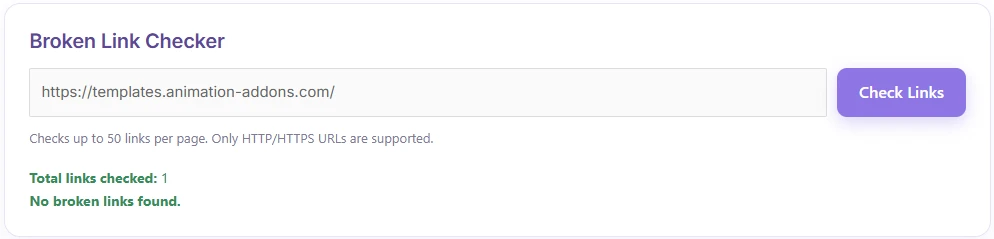
Automated Page Scanning: Scans up to 50 links per page directly from the frontend interface.
-
Asynchronous AJAX Processing: Performs checks smoothly in the background without refreshing or slowing down the page.
-
Built-in Security (Anti-SSRF): Automatically blocks requests to private IP ranges, reserved IPs, and localhost to prevent Server-Side Request Forgery attacks.
-
Smart HTTP Method Fallback: Performs lightweight
HEADrequests first, falling back toGETrequests for accurate checking without unnecessary server strain. -
Modern Soft Purple Design: Clean, modern, and light-themed user interface that blends well with modern WordPress themes.
Ideal For
-
SEO Specialists: Identify dead or broken links quickly to prevent SEO score drops.
-
Website Owners & Administrators: Effortlessly audit pages without installing heavy background plugins.
-
Web Developers: A lightweight code snippet alternative to full-fledged, resource-heavy plugins.
Key Benefits
-
Lightweight & High Performance: Runs only when triggered via shortcode—no heavy database bloat or continuous background server tasks.
-
Improved User Experience (UX): Prevents visitors from landing on 404 error pages.
-
SEO Optimization: Clean link profiles help search engine crawlers index your site more effectively.
-
Zero Dependency: Requires no external API keys or third-party paid services.
Installation Guide
You can set up this snippet in a few simple steps:
Method 1: Using the Code Snippets Plugin (Recommended)
-
Install and activate the free Code Snippets plugin from the WordPress repository.
-
Go to Snippets → Add New in your WordPress dashboard.
-
Paste the provided PHP code into the code editor.
-
Set the code type to PHP Snippet.
-
Click Save Changes and Activate.
Method 2: Via Theme functions.php
-
Go to Appearance → Theme File Editor (or access your server via FTP/cPanel).
-
Open your active child theme’s
functions.phpfile. -
Paste the PHP code at the end of the file.
-
Save the file.
How to Display the Tool on Your Site:
Insert this shortcode into any Page, Post, or Widget area:
:[broken_link_checker]Compatibility
-
WordPress Version: 5.6 or higher
-
PHP Version: 7.4 or higher (including PHP 8.x)
-
Themes: Compatible with standard Classic themes, Block themes (FSE), and popular builders like Elementor, Divi, and Bricks.
-
Browsers: Works on all modern browsers (Chrome, Firefox, Edge, Safari).
What You Will Get
-
1 Complete PHP Code Snippet containing shortcode functionality, CSS styling, and JavaScript logic.
-
Ready-to-use Shortcode:
[broken_link_checker] -
Customizable Soft Purple UI Theme embedded directly within the snippet CSS.
FAQ (Frequently Asked Questions)
-
Q: Why does it only check up to 50 links per page?
-
A: The 50-link limit prevents your server from timing out or hitting PHP execution limits during a single request.
-
-
Q: Will this slow down my website?
-
A: No. Unlike traditional plugins that constantly scan in the background, this code only runs when a user manually clicks the “Check Links” button.
-
-
Q: Why are some valid links flagged as broken?
-
A: Certain external websites block automated server requests or web crawlers via Cloudflare/firewalls, returning standard
403 Forbiddenor405 Method Not Allowedresponses.
-
Disclaimers & Notes
-
PHP Timeout: If you test pages with many slow external links, ensure your server’s
max_execution_timeis set to at least 30 seconds. -
Domain Restrictions: The tool strictly checks valid
http://andhttps://URLs; relative paths or mailto links (mailto:) are skipped intentionally.
Preview





Reviews
There are no reviews yet.