
Key Features
-
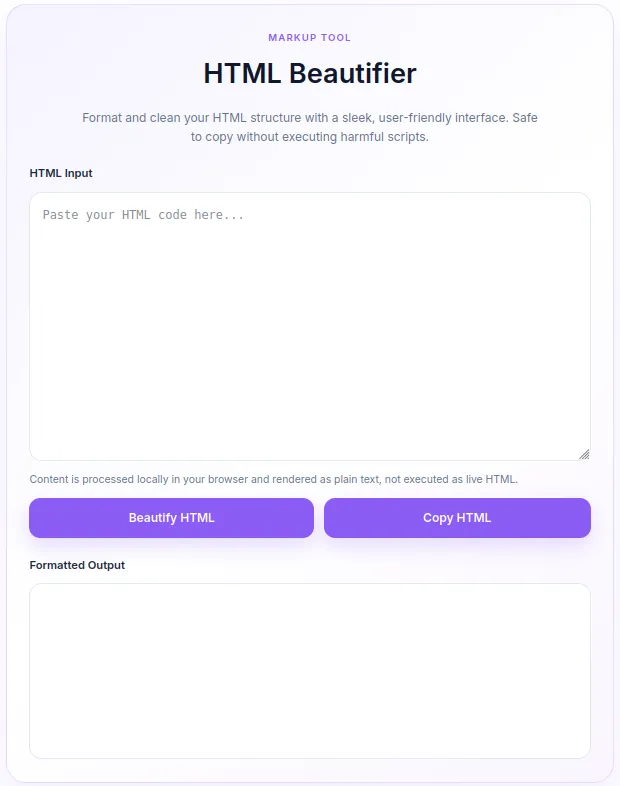
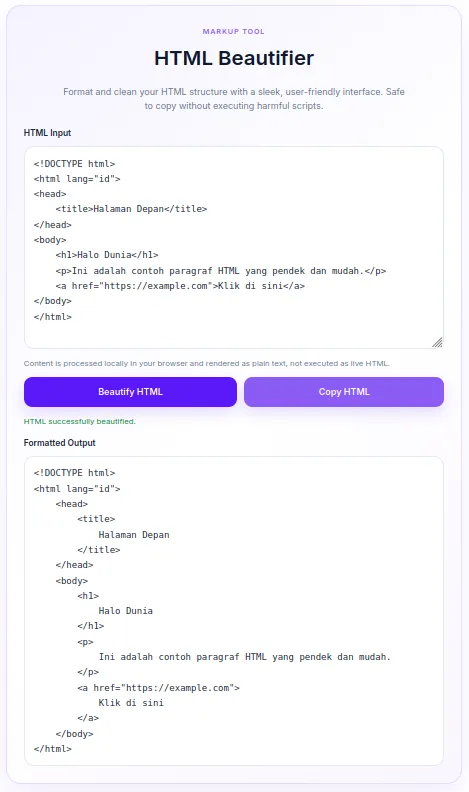
Instant Code Formatting: Automatically cleans up unstructured, minified, or messy HTML code with proper indentation and tag alignment.
-
XSS & Execution Prevention: Renders processed code safely as plain text in the browser, preventing harmful scripts from executing.
-
One-Click Clipboard Copy: Includes a built-in copy button that lets users instantly copy the beautified HTML markup with a single click.
-
Soft Lavender Aesthetic: Features a modern, soft purple design tailored for a smooth, eye-friendly user experience on modern web interfaces.
-
Zero External Dependencies: Built entirely using native WordPress functions, clean CSS, and lightweight JavaScript for optimal performance.
Ideal For
-
Web Developers & Designers: Quickly clean up messy HTML snippets before deploying them to live environments.
-
Content Creators & Bloggers: Prepare clean code examples to embed within tutorials and technical posts.
-
Programming Instructors: Share properly structured HTML samples with students without worrying about script execution.
-
Site Administrators: Safely inspect and format user-submitted markup in WordPress dashboards or front-end tools.
Key Benefits
- Enhanced Workflow : Formats code instantly without requiring external web services or third-party tools.
- Robust Security : Processes code client-side, eliminating server loads and keeping sensitive code isolated to the browser.
- Fully Responsive : Adapts seamlessly to mobile, tablet, and desktop screens for mobile-friendly editing.
- Fast Loading : Registers inline assets conditionally to ensure zero impact on site performance when not in use.
Installation Guide
You can set up this snippet in a few simple steps:
Method 1: Using the Code Snippets Plugin (Recommended)
-
Install and activate the free Code Snippets plugin from the WordPress repository.
-
Go to Snippets → Add New in your WordPress dashboard.
-
Paste the provided PHP code into the code editor.
-
Set the code type to PHP Snippet.
-
Click Save Changes and Activate.
Method 2: Via Theme functions.php
-
Go to Appearance → Theme File Editor (or access your server via FTP/cPanel).
-
Open your active child theme’s
functions.phpfile. -
Paste the PHP code at the end of the file.
-
Save the file.
How to Display the Tool on Your Site:
Add a Shortcode Block and type:
[html_beautifier]
Compatibility
-
WordPress Version: 5.0 or higher (fully compatible with Gutenberg Block Editor and Classic Editor).
-
PHP Version: PHP 7.4 to PHP 8.x+.
-
Page Builders: Compatible with Elementor, Divi, Beaver Builder, Bricks, and standard shortcode blocks.
-
Browsers: Modern desktop and mobile browsers (Chrome, Firefox, Safari, Edge).
What You Will Get
-
Ready-to-Use PHP Snippet: Fully translated into English with pre-configured soft purple CSS styling.
-
Shortcode Support: A lightweight
[html_beautifier]shortcode ready for immediate deployment. -
Built-in Translation Strings: Native JavaScript configuration object for easy internationalization and custom messages.
FAQ (Frequently Asked Questions)
- Q: Does this snippet store or send HTML code to my server?
- A: No. All HTML parsing and formatting happen entirely inside the user’s web browser using JavaScript. No data is stored or transmitted to your server.
- Q: Can I customize the purple color scheme?
- A: Yes. You can edit the CSS CSS custom variables (
--hb-purpleand--hb-purple-dark) inside the snippet to match your brand colors.
- A: Yes. You can edit the CSS CSS custom variables (
- Q: Why is my script not executing in the output box?
- A: That is by design. The tool escapes HTML elements and displays them as formatted plain text to ensure secure rendering.
Disclaimers & Notes
- Always use a child theme or a snippet manager plugin (like Code Snippets) when adding custom PHP code. Direct edits to a parent theme’s
functions.phpfile will be overwritten when the theme updates.
Preview




Reviews
There are no reviews yet.