
Key Features
-
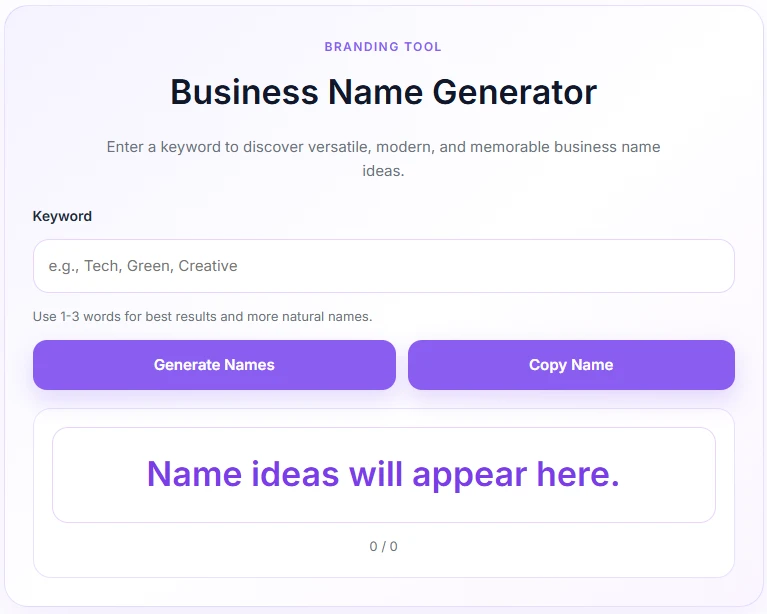
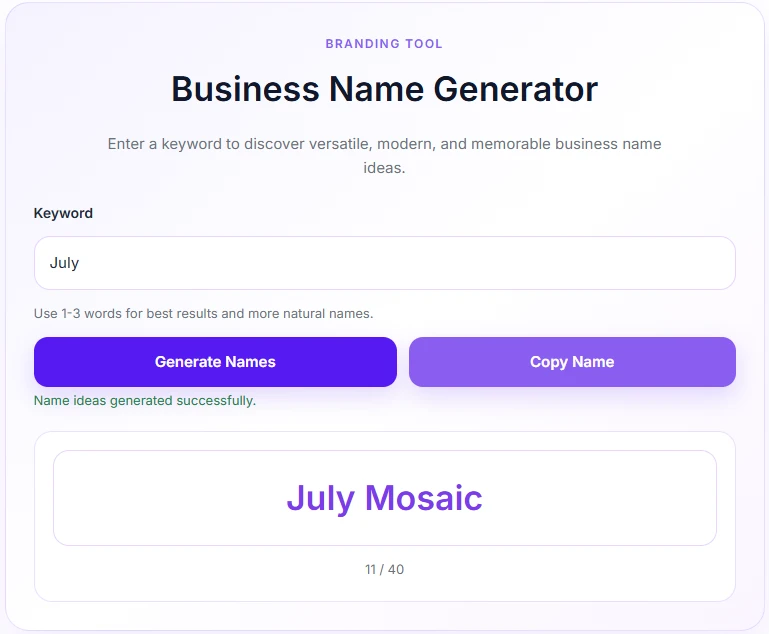
Instant Smart Generation: Creates up to 40 unique, modern, and high-converting business name combinations instantly using smart prefix and suffix algorithms.
-
One-Click Name Copying: Built-in interactive clipboard tool allows users to copy generated names in a single click with real-time status feedback.
-
Soft Lavender UI Design: Features a modern, responsive card-based layout styled in soft purple accents that blends seamlessly with modern website designs.
-
AJAX-Powered Performance: Fast, asynchronous processing ensures smooth user experiences without requiring page refreshes.
-
Localization Ready: Pre-configured string translation arrays make it easy to adapt the interface for any audience.
Ideal For
-
Niche & Affiliate Websites: Perfect for adding interactive utility tools to engage visitors and reduce bounce rates.
-
Digital Agencies: Ideal for offering quick branding inspiration tools to prospective business clients.
-
Startup Incubators & Blogs: Great for entrepreneurship blogs, business resources, and startup advisory platforms.
-
Design & Branding Portfolios: Enhances portfolio sites by providing clients with immediate name brainstorming tools.
Key Benefits
-
Boosts User Engagement: Keeps visitors on your site longer by providing a fast, interactive brainstorming tool.
-
Lightweight & Fast: Code-optimized with inline asset loading to ensure zero impact on site loading speed or SEO scores.
-
Zero External Dependencies: Works purely within native WordPress functions without needing third-party API keys or monthly subscriptions.
-
Fully Responsive: Adapts seamlessly across mobile phones, tablets, and desktop displays.
Installation Guide
You can set up this snippet in a few simple steps:
Method 1: Using the Code Snippets Plugin (Recommended)
-
Install and activate the free Code Snippets plugin from the WordPress repository.
-
Go to Snippets → Add New in your WordPress dashboard.
-
Paste the provided PHP code into the code editor.
-
Set the code type to PHP Snippet.
-
Click Save Changes and Activate.
Method 2: Via Theme functions.php
-
Go to Appearance → Theme File Editor (or access your server via FTP/cPanel).
-
Open your active child theme’s
functions.phpfile. -
Paste the PHP code at the end of the file.
-
Save the file.
How to Display the Tool on Your Site:
Add the following shortcode to any Page, Post, or Custom Post Type:
[general_business_name_generator]Compatibility
-
WordPress Version: Fully compatible with WordPress 5.0 and higher (including WP 6.x+).
-
PHP Version: Optimized for PHP 7.4 through PHP 8.3+.
-
Page Builders: Works seamlessly with Elementor, Divi, Gutenberg Block Editor, Beaver Builder, and classic editors.
-
Theme Support: Compatible with all standard WordPress themes (Astra, GeneratePress, Kadence, OceanWP, etc.).
What You Will Get
-
Complete Source Code Clean, well-commented PHP, CSS, and JavaScript code ready for implementation.
-
Shortcode Support Easy-to-use
[general_business_name_generator]tag for flexible placement. -
Built-in Styling Pre-packaged soft purple/lavender responsive CSS—no additional styling needed.
- AJAX Backend Pre-configured secure admin-ajax handlers for instant server responses.
FAQ (Frequently Asked Questions)
-
Q: Can I change the soft purple color scheme?
-
A: Yes. You can easily adjust the CSS custom variables (
--gbn-purple,--gbn-bg, etc.) inside thegbn_enqueue_assets()function to match your site’s brand palette.
-
-
Q: Does this shortcode work inside Elementor or Gutenberg?
-
A: Absolutely. Just insert a Shortcode Block or Widget into your page layout and paste
[general_business_name_generator].
-
-
Q:Are there any monthly fees or API limits?
-
A: No. The name generator uses an internal array of industry-standard business suffixes, meaning it runs entirely on your server for free with unlimited uses.
-
Disclaimers & Notes
-
Security Nonce: The plugin uses native WordPress nonces (
check_ajax_referer) to prevent cross-site request forgery and secure your AJAX endpoints. -
Database Impact: This snippet does not create extra database tables or store user entries, keeping your database completely clean.
-
Character Limit: Input is automatically sanitized and capped at 60 characters to ensure optimal display and performance.
Preview





Reviews
There are no reviews yet.