Key Features
-
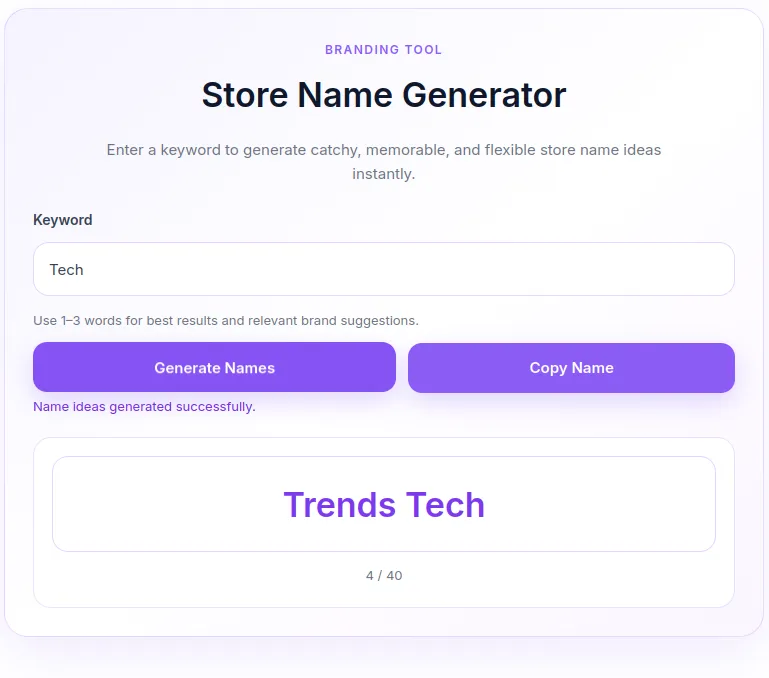
Instant AJAX Name Generation: Generates unique name combinations on the fly without reloading the page.
-
One-Click Copy: Quickly copy generated name ideas to the clipboard.
-
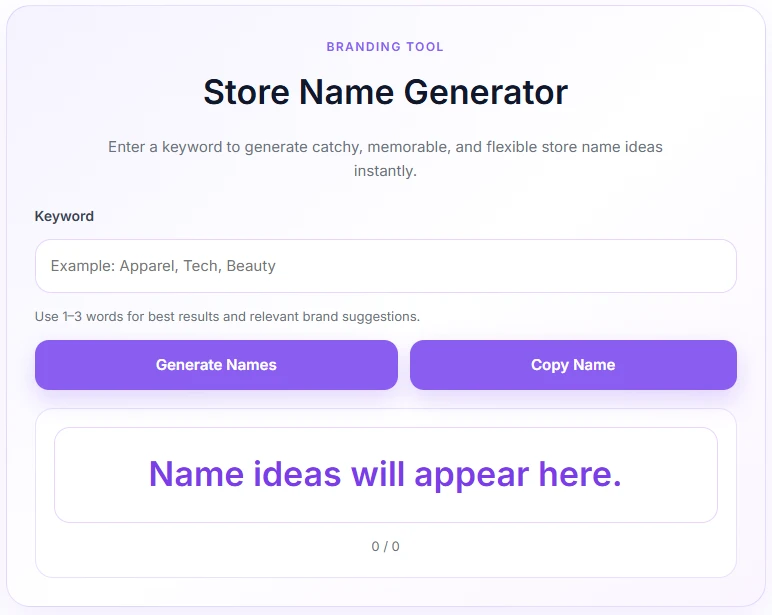
Responsive & Aesthetic UI: Designed with a modern, soft purple interface that works seamlessly on desktop and mobile devices.
-
Lightweight Performance: Built using clean PHP and inline assets to ensure zero bloat on your site.
-
Duplicate Prevention: Smart algorithm ensures generated name suggestions are unique per batch.
Ideal For
-
E-commerce Websites: Help prospective sellers or clients brainstorm brand names for WooCommerce stores.
-
Branding & Marketing Agencies: Provide quick naming tools for clients starting new businesses.
-
SaaS & Tool Platforms: Add an interactive micro-tool to drive organic traffic and engagement.
-
Startup Blogs & Communities: Offer an interactive tool to inspire readers looking to start an online store.
Key Benefits
-
Boost User Engagement: Keep visitors on your site longer with an interactive branding utility.
-
Drive Organic SEO Traffic: Attract prospective store owners searching for business naming tools.
-
No External API Costs: Works completely offline within your WordPress installation without requiring third-party API subscriptions.
Installation Guide
You can set up this snippet in a few simple steps:
Method 1: Using the Code Snippets Plugin (Recommended)
-
Install and activate the free Code Snippets plugin from the WordPress repository.
-
Go to Snippets → Add New in your WordPress dashboard.
-
Paste the provided PHP code into the code editor.
-
Set the code type to PHP Snippet.
-
Click Save Changes and Activate.
Method 2: Via Theme functions.php
-
Go to Appearance → Theme File Editor (or access your server via FTP/cPanel).
-
Open your active child theme’s
functions.phpfile. -
Paste the PHP code at the end of the file.
-
Save the file.
How to Display the Tool on Your Site:
Add the following shortcode to any Page, Post, or Custom Post Type:
[store_name_generator]Compatibility
-
WordPress Version: WordPress 5.0 or higher.
-
PHP Version: PHP 7.4 or higher.
-
Theme Support: Compatible with all standard WordPress themes, Elementor, Divi, Gutenberg, and page builders.
-
Browsers: Modern desktop and mobile browsers (Chrome, Firefox, Safari, Edge).
What You Will Get
-
Clean & Ready-to-Use Code: Single PHP file combining logic, shortcode rendering, CSS styling, and JavaScript functionality.
-
Soft Purple UI Theme: Fully styled lavender gradient interface ready out-of-the-box.
-
Full Translation Readiness: Text strings structured for easy localization or modification.
FAQ (Frequently Asked Questions)
-
Q: Can I customize the suffix list or store categories?
-
A: Yes, you can easily add, edit, or remove words inside the
$suffixesarray in the PHP code.
-
-
Q: How many store names does it generate per click?
-
A: It creates a batch of up to 40 unique combinations per keyword request.
-
-
Q: Will this slow down my website?
-
A: No, the script is lightweight, uses native WordPress AJAX, and loads its styling inline only when the shortcode is present.
-
Disclaimers & Notes
-
Ensure your site runs over HTTPS so users can utilize the clipboard copy feature smoothly without browser restriction warnings.
-
Always back up your site before adding custom code directly to
functions.php.
Preview




Reviews
There are no reviews yet.