Key Features
-
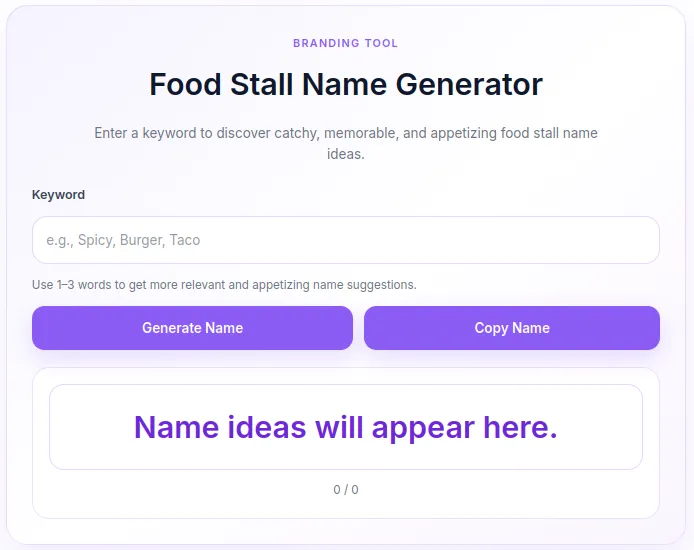
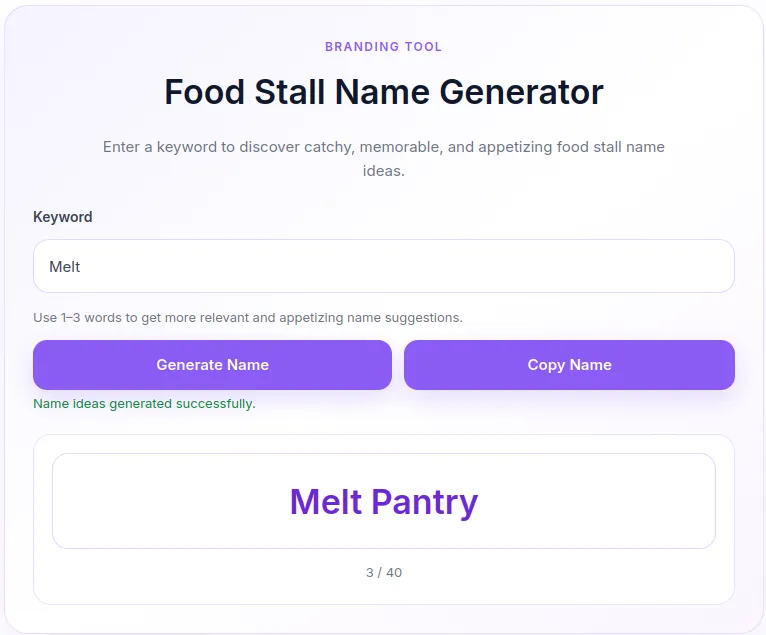
Instant Ajax Name Generation: Generates up to 40 unique food stall name combinations per request without page reloads.
-
One-Click Copy: Built-in copy button allowing users to easily save generated names directly to their clipboard.
-
Soft Purple UI Design: Modern, clean, and fully responsive layout with smooth hover effects and clear status feedback.
-
Smart Duplication Prevention: Automatically shuffles and removes duplicate name outputs for a fresh user experience.
-
Lightweight & Fast: Optimized inline CSS and vanilla JavaScript with zero external dependency requirements.
-
Shortcode Ready: Place the tool anywhere on your WordPress site using a simple shortcode tag.
Ideal For
-
Culinary & Food Blogs: Provide added value and interactive tools for readers looking to start a food business.
-
Branding & Marketing Websites: Help entrepreneurs and small businesses brainstorm food-related brand names.
-
WordPress Tool Directories: Add a functional branding utility to your collection of free web tools.
-
Business Naming Portals: Enhance your existing name generator offerings with a dedicated culinary tool.
Key Benefits
-
Boosts User Engagement: Interactive tools keep visitors on your site longer, reducing overall bounce rates.
-
Enhances User Experience (UX): Instant feedback, clear counter indicators, and seamless copy functions ensure a smooth user journey.
-
Zero Theme Conflict: Encapsulated styling (
.fsn-prefix) prevents CSS leaks and keeps your active theme intact. -
Easy Maintenance: Single-file PHP code structure that can be added via the Code Snippets plugin or
functions.php.
Installation Guide
You can set up this snippet in a few simple steps:
Method 1: Using the Code Snippets Plugin (Recommended)
-
Install and activate the free Code Snippets plugin from the WordPress repository.
-
Go to Snippets → Add New in your WordPress dashboard.
-
Paste the provided PHP code into the code editor.
-
Set the code type to PHP Snippet.
-
Click Save Changes and Activate.
Method 2: Via Theme functions.php
-
Go to Appearance → Theme File Editor (or access your server via FTP/cPanel).
-
Open your active child theme’s
functions.phpfile. -
Paste the PHP code at the end of the file.
-
Save the file.
How to Display the Tool on Your Site:
Add the following shortcode to any Page, Post, or Custom Post Type:
[food_shop_name_generator]Compatibility
-
WordPress Version: WordPress 5.0 or higher.
-
PHP Version: PHP 7.4 or higher (fully compatible with PHP 8.x).
-
Page Builders: Compatible with Elementor, Divi, Gutenberg, Beaver Builder, and Classic Editor.
-
Browsers: Modern web browsers including Chrome, Firefox, Safari, Edge, and mobile browsers.
What You Will Get
-
PHP Code Snippet: Fully translated into English with optimized Ajax handlers and input validation.
-
Embedded Asset Loader: Clean inline CSS and lightweight JavaScript pre-configured for instant deployment.
-
Documentation: Clear usage instructions and shortcode implementation guide.
FAQ (Frequently Asked Questions)
-
Q: Can I change the soft purple color scheme?
-
A: Yes, you can edit the CSS custom variables (e.g.,
--fsn-purple,--fsn-bg) inside thefsn_enqueue_assets()function to match your brand colors.
-
-
Q: How many name combinations does it generate?
-
A: It generates up to 40 unique combinations per keyword request.
-
-
Q: Does this plugin slow down my website?
-
A: No, the code uses vanilla JavaScript without heavy external libraries like jQuery, ensuring fast load times.
-
Disclaimers & Notes
-
Always back up your website or use a child theme when editing your theme’s
functions.phpfile directly. -
Ensure your server supports standard WordPress Ajax functionality (
admin-ajax.php) for the generator to work correctly.
Preview




Reviews
There are no reviews yet.