Key Features
-
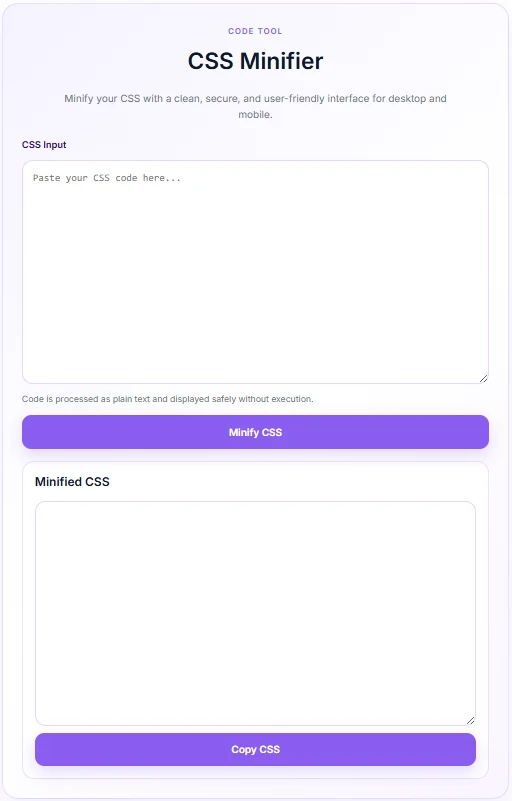
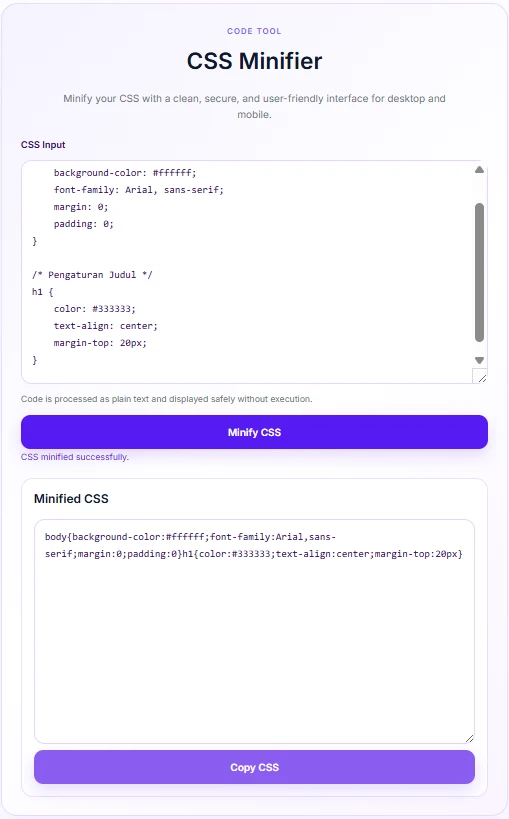
Instant Minification: Removes unnecessary spaces, comments, and line breaks from your CSS in seconds.
-
Modern Soft Purple Design: Features a clean, responsive layout styled with a aesthetic soft purple palette (
#8b5cf6). -
AJAX-Powered Processing: Minifies code dynamically without refreshing the page.
-
One-Click Copy: Easily copy the optimized output directly to your clipboard.
-
Character Limit Protection: Supports input up to 200,000 characters to prevent server timeouts.
-
Secure Output: Treats input strictly as plain text to prevent code execution or security vulnerabilities.
Ideal For
-
Web Developers: Quickly clean up and compress custom CSS before deploying it to production.
-
WordPress Site Owners: Improve page load speeds without installing heavy third-party plugins.
-
UI/UX Designers: Test and optimize stylesheet sizes on the fly directly inside the dashboard or front-end.
Key Benefits
-
Boosted Site Performance: Reduced CSS file sizes lead to faster loading times and better Core Web Vitals scores.
-
Zero Overhead: Operates as a lightweight PHP snippet without adding bloat or database clutter to your site.
-
Improved User Experience: Fast, responsive, and mobile-friendly interface makes code formatting effortless.
Installation Guide
You can set up this snippet in a few simple steps:
Method 1: Using the Code Snippets Plugin (Recommended)
-
Install and activate the free Code Snippets plugin from the WordPress repository.
-
Go to Snippets → Add New in your WordPress dashboard.
-
Paste the provided PHP code into the code editor.
-
Set the code type to PHP Snippet.
-
Click Save Changes and Activate.
Method 2: Via Theme functions.php
-
Go to Appearance → Theme File Editor (or access your server via FTP/cPanel).
-
Open your active child theme’s
functions.phpfile. -
Paste the PHP code at the end of the file.
-
Save the file.
How to Display the Tool on Your Site:
Add the shortcode [css_minifier] into any WordPress page, post, or widget area.
[css_minifier]
Compatibility
-
WordPress Version: Compatible with WordPress 5.0 and higher (including Gutenberg & classic editor).
-
PHP Version: PHP 7.4 or higher (fully compatible with PHP 8.x).
-
Page Builders: Fully compatible with Elementor, Divi, Beaver Builder, WPBakery, and Block Editor.
-
Browsers: Works on all modern web browsers (Chrome, Edge, Safari, Firefox, Opera).
What You Will Get
-
Fully functional, custom-styled CSS Minifier tool accessible via shortcode
[css_minifier]. -
Clean PHP/AJAX code structure following WordPress coding standards.
-
Inlined responsive CSS and lightweight vanilla JavaScript.
FAQ (Frequently Asked Questions)
-
Q: Does this code permanently alter my theme files?
-
A: No. It only minifies the code you manually paste into the input box. It does not touch your theme stylesheets automatically.
-
-
Q: Why is there a 200,000 character limit?
-
A: The limit ensures your server processes requests smoothly without running out of execution time or memory.
-
-
Q: Can I customize the color scheme?
-
A: Yes. You can edit the CSS custom properties inside the snippet (
--csm-purple,--csm-purple-dark, etc.) to match your brand colors.
-
Disclaimers & Notes
-
Always test minified CSS on a staging environment before pushing changes to a live site.
-
Keep a backup of your original, unminified CSS files so you can easily edit them in the future.
Preview




Reviews
There are no reviews yet.